Inventory Module
Inventory information you have probably never seen before — nightly turns, aging, exceptions, reorder advice and a complete per-item profile.
What it does
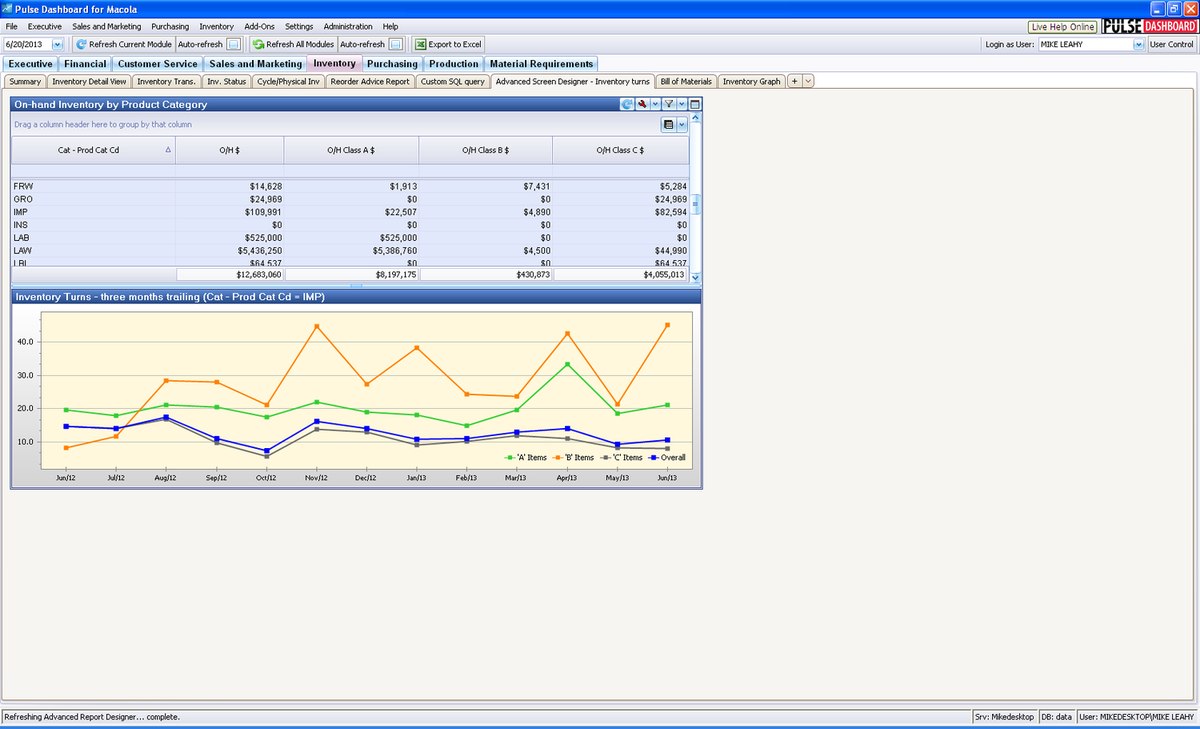
The Inventory module profiles every item in an easy-to-read grid — on-hand quantity, dates of last usage, sale, purchase and manufacture, months on-hand, and inventory turns calculated nightly from 12-month trailing transactions. Exceptions, aging and reorder advice turn that data into action.
Capabilities
- Inventory turns calculated nightly, based on 12-month trailing transactions per item
- Inventory exceptions: missing information, negative on-hand, over/under-stocked items
- Inventory aging that highlights unused inventory to improve cash flow
- Stock Status report: dollars by location by inventory class
- Inventory Status: month-by-month activity, months on-hand and turns per item
- Reorder Advice for deciding what to order to meet demand
- Physical-inventory reports for a faster, more accurate count
- Inventory transactions by date range, item, location and transaction type
- Create purchase orders, POP orders or sales orders in Macola® from any report
Highlights
Turns, properly measured
Turns indicate the movement of inventory — an item that turns once a year carries far higher holding costs than one that turns monthly. Pulse calculates turns by dividing usage over 3, 6, 9 or 12 months by the average on-hand across the same period, viewable for purchased items, manufactured items or both.
The Item Detail View
One flexible screen per item: available-to-promise, usage, serial/lot/bin, MRP summary or detail, bill of material and where-used. MRP information is available in Pulse even without the Macola® MRP module.
Better physical and cycle counts
Identify the items with the greatest historical count variances before the count — then, while counting, pinpoint items worth recounting from live per-batch variances instead of waiting on a lengthy report. Pairs with the physical inventory guide.
Purchase orders without the keying
Right-click any item number on any report to create an unreleased or released purchase order (or POP order, or customer order): enter vendor, item, quantity and price, save, and it lands in Macola® like any other PO.
Optional add-on modules
- Purchase Order Generator — define detailed rules (lead time, min/max, EOQ and more), review the suggested items, click to create the Macola® POs; pair with Event Manager to email or fax them automatically
- Inventory ABC Class Generator — sets item ABC classifications from 12-month dollar usage
- Inventory Optimization — forecast-driven stock levels, right-time replenishment and safety stock
Adapted from the official Inventory Module brochure (PDF) on leahyconsulting.com.
Need a hand?
The PULSE support team is happy to help — call (513) 723-8095 or email [email protected].