Clearing the Received Not Invoiced report for direct payments
Adapted from the Leahy Consulting procedure "How to clear the Macola® Received Not Invoiced report for direct pay", January 2005.
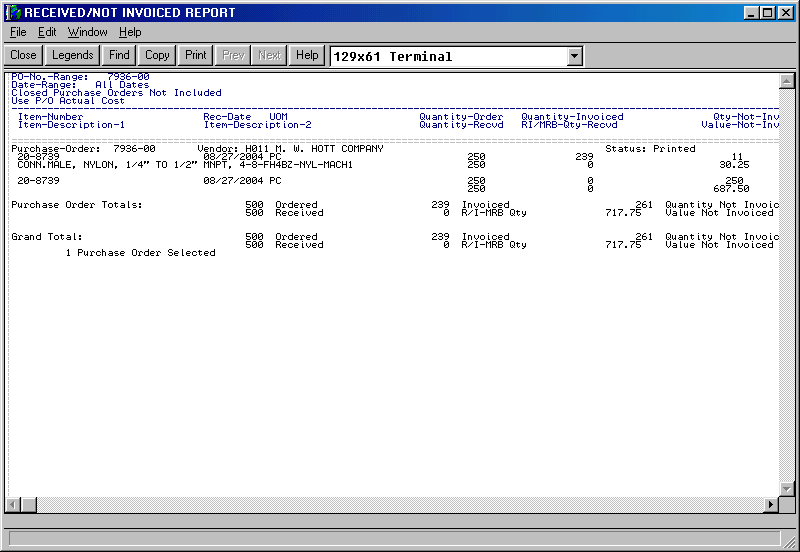
Some invoices get paid directly rather than matched against a purchase order. The quantity and value stay on the Received Not Invoiced report until something clears them, and the report gets harder to read every month.
If every line on the order has been received and paid, close the whole order by changing the header status to C. You will probably need a correcting journal entry to relieve the receiving accrual account.
The rest of this page is for the other case: some lines on the order were paid directly and have to come off the report, while the order itself stays open.
Cancel the affected lines
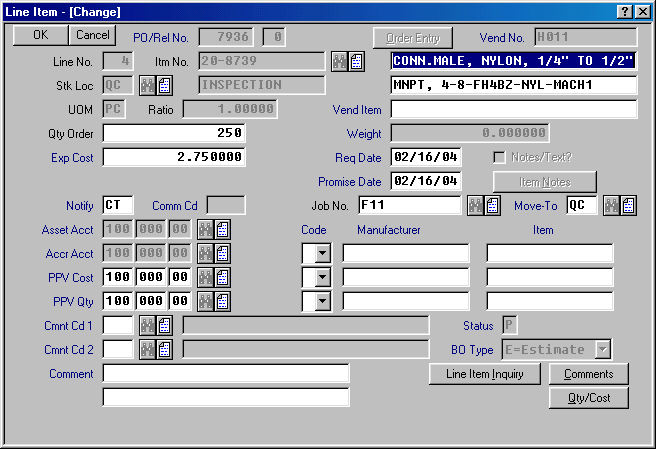
- Open the purchase order and locate the line number to cancel.
-
Change Qty Order to zero and press Tab.
-
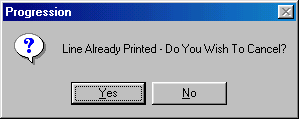
Macola® asks Line Already Printed - Do You Wish To Cancel? Click Yes.
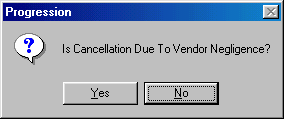
- Macola® asks Is Cancellation Due To Vendor Negligence? Click No. The vendor did nothing wrong; the invoice was simply paid outside the matching process, and answering Yes distorts your vendor performance statistics.
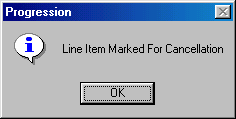
- Macola® confirms Line Item Marked For Cancellation. Click OK.
- Repeat for every line paid directly without matching to a purchase order number.
Finish the job
- Print the purchase order to file.
- Re-run the Received Not Invoiced report. The quantity and value not invoiced should now be correct.
A partly received line needs a replacement line
If part of a line was received and paid, and you still expect the rest, you must still cancel the line as above — and add a new line to the purchase order for the quantity you are still waiting on. Cancelling alone loses the outstanding quantity.
Tip
Next step. Lines that were fully received and invoiced should be closed rather than cancelled — see Closing and purging a range of purchase orders, which also covers clearing the on-order quantities that closed orders leave behind.
Support & contact
Our team is glad to help with anything from a quick question to a full implementation.
- PULSE software support — (513) 723-8095 · [email protected]
- Sales & product questions — (513) 723-8091 · [email protected]
- Consulting & Macola services — (513) 723-8094 · [email protected]