What each date field on an order means
Adapted from the Leahy Consulting handouts "What is the definition of each customer order date field?" and "What is the definition of each purchase order date field?", from the "Supercharge your Macola® ERP software" workshop series, 2014 and 2018.
The date fields on Macola® orders are the most commonly misused fields in the system, and the consequences run further than most people expect. They decide when the customer really wants delivery, when production orders get created, when pick tickets print, and how labor and material are planned for everything ordered or made. Macola® MRP and the Pulse Dashboard MRP engine both read them to work out shortages.
If your company has no policy for using each of these fields, this is the moment to write one.
Customer order dates
Order header
Order Date — the date the order was keyed.
Ship Date — a convenience field. It is the default used for the requested, promised and required-ship dates on every order line.
Tabbing past Ship Date puts today's date on every line
Tab over the field and Macola® uses today's date for every date on the order line. Unless you really can ship today, the line dates then have to be adjusted to reflect what the customer actually asked for and what you actually promised — otherwise every order looks due today, and nothing on the past-due report means anything.
Order line
| Field | What it means |
|---|---|
| Requested Date | The date by which the customer wants to receive the item |
| Promised Date | The date by which you promised the customer they would receive the item |
| Req Ship Date | The date by which you must ship the item to meet your promise date |
Requested and promised are the pair that matter for on-time shipping. Measuring performance against a promised date that was silently defaulted to the order date tells you nothing.
Purchase order dates
These fields are important to the software because they determine when you expect the vendor to deliver.
Order header
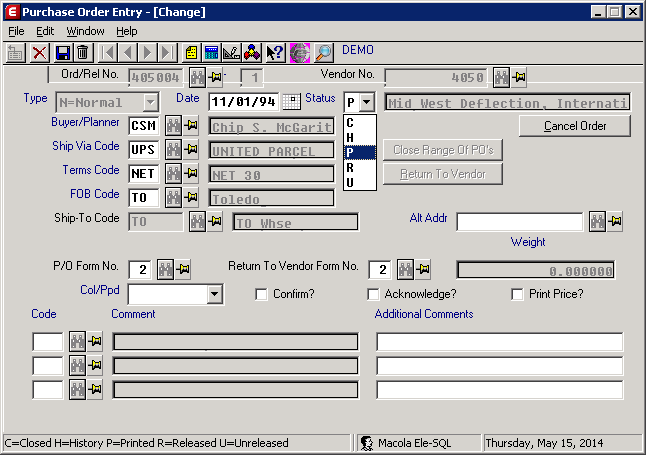
Order Date — the date the order was keyed.
Macola® ES and 10
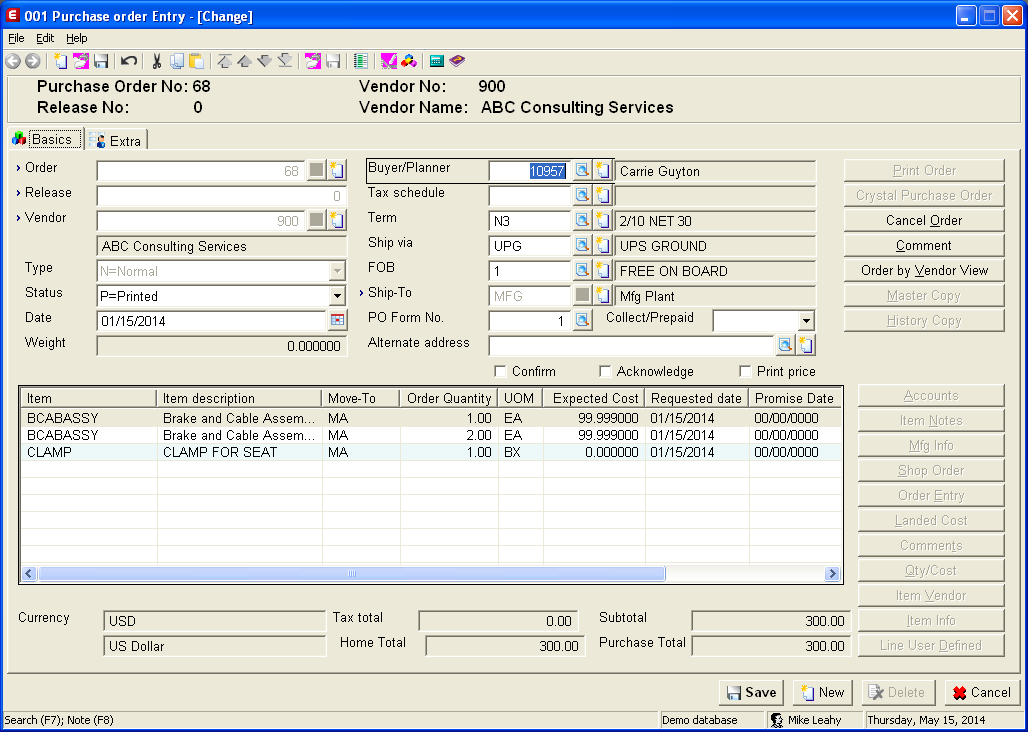
Macola® Progression
Order line
| Field | What it means |
|---|---|
| Requested Date | The date by which you want the item delivered |
| Promised Date | The date the vendor has promised to deliver the item. If you request a confirmation from the vendor, this date may come back in the confirmation |
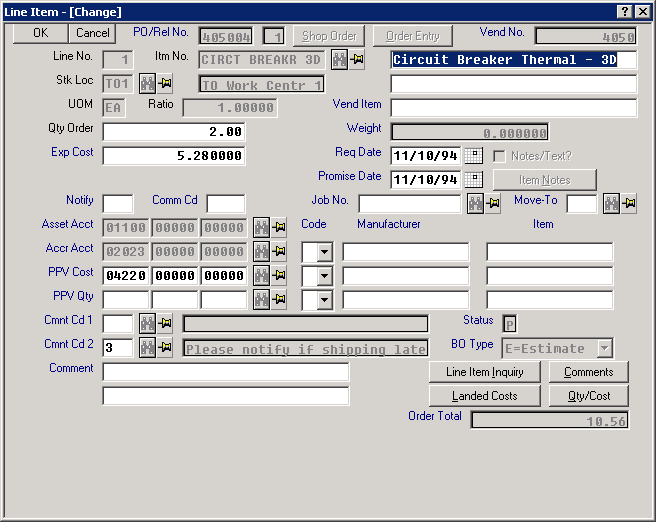
Why the promised date is worth the discipline
Three things read the promised date directly:
- Vendor performance. On-time delivery statistics compare receipt date to promised date. If promised was defaulted from the order date, every vendor looks late.
- Shortage calculations. Macola® MRP and the Pulse Dashboard MRP engine both time-phase supply from these dates. A purchase order with a date of "today" on every line makes the shortage report useless.
- Available-to-ship. Deciding what can ship this week depends on knowing when the parts actually arrive.
Tip
Next step. Documented data-entry procedures are the cheapest fix here — see The Lean office, which lists documenting how dates are used when keying customer, purchase and production orders as a foundation item.
Support & contact
Our team is glad to help with anything from a quick question to a full implementation.
- PULSE software support — (513) 723-8095 · [email protected]
- Sales & product questions — (513) 723-8091 · [email protected]
- Consulting & Macola services — (513) 723-8094 · [email protected]