How Macola® ES finds the currency conversion factor
Adapted from the Leahy Consulting white paper "How does the Macola® ES software obtain the currency conversion factor when processing customer orders?", updated February 2004.
During customer order entry, Macola® ES works out the customer's native currency code first, then looks up the conversion factor for that code. Two files, in that order. When a converted amount looks wrong, one of these two records is where the answer is.
Step 1: the customer file
The customer file holds one record per customer, and each record carries the currency code to use for that customer. The file is ARCUSFIL.
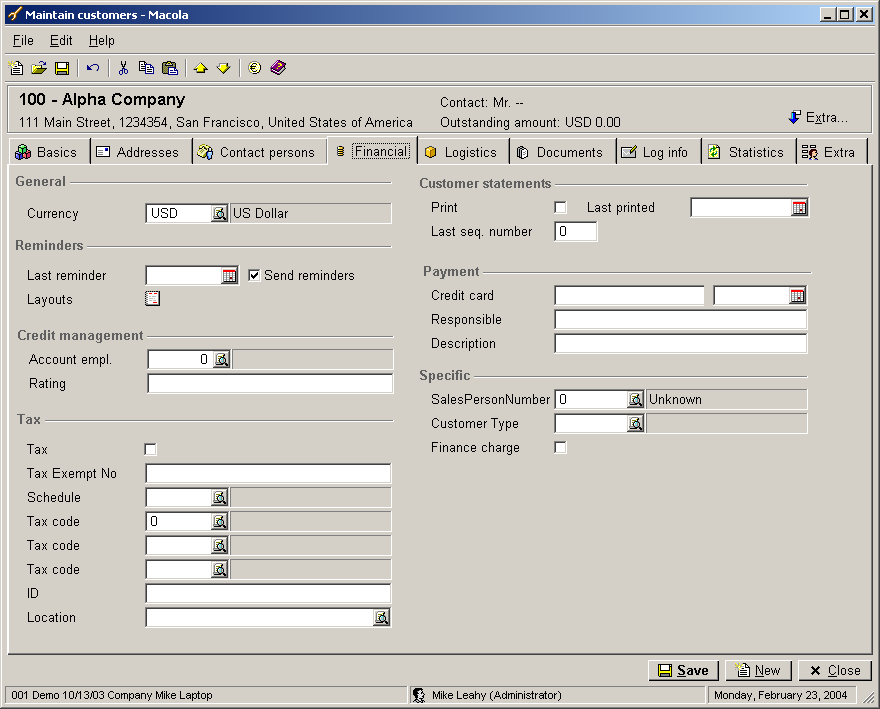
Step 2: the currency code file
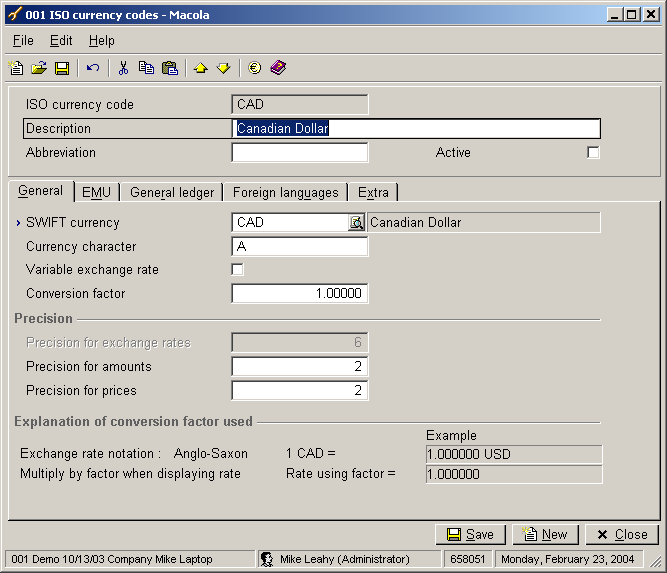
The currency code table holds one record per currency code, and each record
carries the conversion factor — for example 1.0 or 0.7688. The factor is
relative to the US dollar. The file is VALUTA.
When an order converts at an unexpected rate
Check the customer's currency code first and the factor second. A customer set to the wrong code converts consistently wrongly, which is easy to miss; a stale factor converts everything wrongly at once, which is not.
Support & contact
Our team is glad to help with anything from a quick question to a full implementation.
- PULSE software support — (513) 723-8095 · [email protected]
- Sales & product questions — (513) 723-8091 · [email protected]
- Consulting & Macola services — (513) 723-8094 · [email protected]